
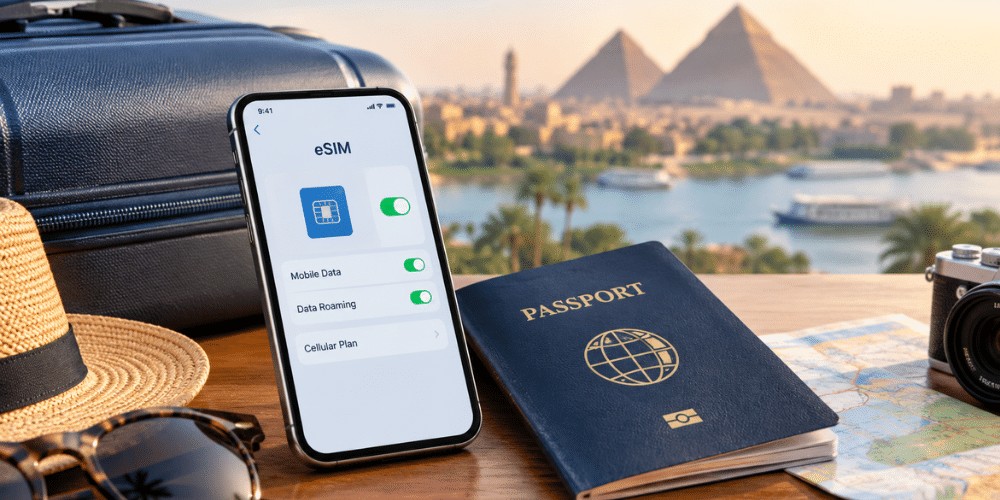
Egypt SIM Card: Best eSIM vs Local SIM for Tourists
Choosing the right Egypt SIM card can make your arrival easier, your maps more reliable, and your trip much less stressful. Here is how eSIMs and local SIM cards compare, what tourists should know before buying, and which option makes the most sense for different types of travelers.
If you are searching for an Egypt SIM card, you probably have one practical question: what is the easiest and best way to get mobile internet when you arrive in Egypt? For most travelers, the choice comes down to two options: activate an eSIM before or around your arrival, or buy a physical local SIM from an Egyptian mobile operator.
The good news is that both options can work well. The better choice depends on your phone, how long you are staying, whether you need an Egyptian phone number, how much data you expect to use, and how comfortable you are visiting a local telecom shop.
For a short holiday, an eSIM can be attractive because you can keep your normal SIM active while using mobile data in Egypt. A local SIM, however, can be more useful if you want a local number, local calling, or a plan directly from an Egyptian operator.
Which Egypt SIM Card Is Best for Tourists?
There is no single Egypt SIM card that is perfect for every visitor. The right choice depends more on your travel style than on the SIM technology itself.
An eSIM is ideal if you have a compatible unlocked phone and want to avoid changing the physical SIM in your device.
A local physical SIM is useful if you expect to make local calls or want a traditional Egyptian mobile line.
A local operator plan can make more sense when you are staying for several weeks or need regular local connectivity.
There is also an important distinction between travel eSIMs and an Egyptian operator eSIM. A travel eSIM is normally purchased online from an international provider and is designed mainly for data. An Egyptian operator eSIM is issued by a local telecom company and can provide a local mobile line subject to the operator’s requirements.
That difference matters. If you only need Google Maps, WhatsApp, ride-hailing, email, translation, and hotel communication, data may be all you need. If you need a local Egyptian number, a local operator solution is usually more appropriate.
Egypt SIM Card: eSIM vs Local SIM Compared
| Feature | eSIM | Physical Local SIM |
|---|---|---|
| Convenience | Excellent for travelers who want a digital setup. | Requires obtaining and installing a physical SIM. |
| Phone compatibility | Requires an eSIM-compatible device. | Works with phones that accept a physical SIM. |
| Keep your home SIM | Often possible with dual-SIM phones. | May require removing your home SIM unless the phone supports multiple SIMs. |
| Local Egyptian number | Possible with an Egyptian operator eSIM; travel eSIMs may be data-only. | Yes, when issued as a local mobile line. |
| Setup | Digital activation, usually using a QR code. | Insert the SIM, register it, and activate the service. |
| Best for | Short trips, convenience, and travelers who want data without swapping cards. | Local calling, longer stays, and travelers who prefer a traditional local line. |
Local operators in Egypt support eSIM services. For example, Orange Egypt states that tourists are eligible for its eSIM service, while Vodafone Egypt provides eSIM purchasing through its stores and eShop. Availability, activation requirements, pricing, and eligible devices can change, so travelers should check the operator’s current terms before purchase.
Egypt Mobile Networks and Operators
Egypt has several major mobile network operators. Travelers will commonly encounter Vodafone Egypt, Orange Egypt, e& Egypt, and WE. The best network for you can depend on exactly where you travel, the plan you choose, and current network conditions.
For a typical tourist itinerary through Cairo, Giza, Luxor, Aswan, Hurghada, Sharm El Sheikh, or Alexandria, mobile connectivity is an important part of daily travel. You may use your phone repeatedly for navigation, translation, messaging, hotel communication, tickets, ride-hailing, restaurant research, and checking opening times.
Rather than choosing an operator simply because one company is advertised as “the best,” focus on the plan you actually need. A traveler who uses 2 GB may have very different priorities from someone who uploads videos every day or works remotely from Egypt.
Egyptian operators also continue to expand newer network technologies. For example, Orange Egypt provides 5G service in supported areas and with compatible devices and SIM requirements.
What Tourists Need to Know Before Buying an Egypt SIM Card
One of the most important differences between buying a SIM abroad and buying one in Egypt is registration. Mobile SIM sales are regulated, and foreign customers may need to provide identification documents.
According to Egypt’s National Telecom Regulatory Authority, foreign customers purchasing a new mobile SIM through an operator branch must present an original valid passport and residency documentation. The operator verifies the documents and links the SIM’s validity to the foreign customer’s residency period under the applicable rules.
This is why buying a SIM from an official operator location is preferable to purchasing an unexplained card from an informal seller. You want the line properly registered and activated, and you should understand exactly what package you are receiving.
Should you carry your passport?
Yes. If you plan to buy a local physical SIM from an operator branch, keep your passport with you. Do not assume that a photocopy, photograph, or another document will be accepted in every situation.
Unlocked phones matter
Your phone should be unlocked for use with other networks. A phone locked to a carrier in your home country may not accept an Egyptian SIM or may restrict eSIM activation.
Check eSIM compatibility before flying
Do this before leaving home. Look in your phone’s cellular or SIM settings, or check the manufacturer’s specifications. Vodafone Egypt and Orange Egypt both publish eSIM compatibility and activation information.
Where to Get a SIM Card in Egypt
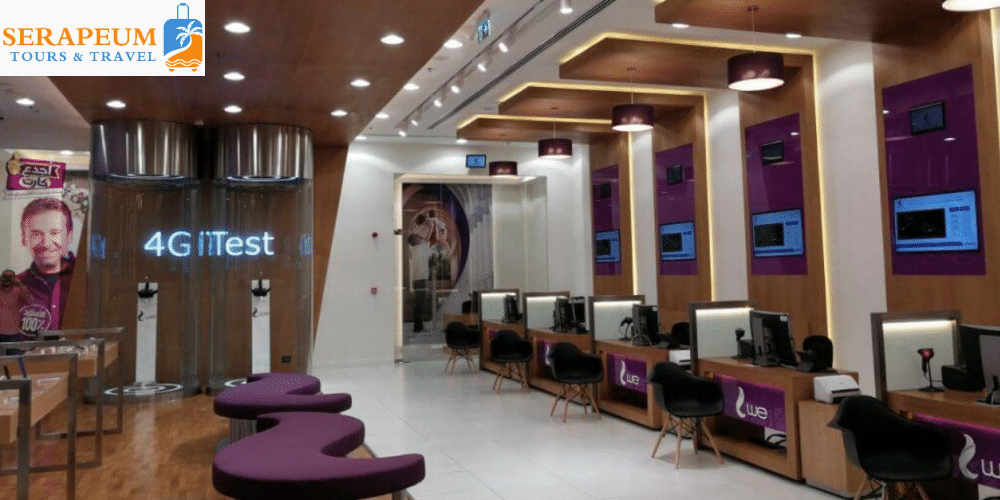
For international travelers, an official operator branch is usually the safest place to obtain a local SIM. You can ask the staff to explain the available prepaid packages, confirm the amount of data included, and make sure the line is activated correctly.
Depending on the operator and service, some digital purchasing options are also available. Orange Egypt, for example, provides online and app-based options for certain new-line services, while its eSIM information explains how new and existing customers can obtain eSIM services.
At the airport, travelers may also encounter mobile service counters. These can be convenient immediately after landing, but convenience should not be confused with automatically being the best-value option. Before paying, ask for the exact package, validity period, included data, and whether calls are included.
How Much Mobile Data Do You Need in Egypt?
The amount of data you need depends heavily on how you travel. Egypt is not a destination where you need to stay online every second, but navigation and communication can consume more data than many first-time visitors expect.
| Trip Style | Approximate Data Need | Typical Use |
|---|---|---|
| Light user | 2–4 GB | Messaging, maps, email, occasional browsing. |
| Average tourist | 5–10 GB | Maps, social media, translation, ride-hailing, photos and regular browsing. |
| Heavy user | 10–20+ GB | Video, frequent uploads, hotspot use, remote work and cloud services. |
These figures are planning estimates rather than operator package recommendations. Your actual consumption can be much lower if you download Google Maps areas, hotel information, translation packs, playlists, and travel documents over Wi-Fi.
Download what you need before leaving the hotel
This is one of the most useful connectivity habits in Egypt. Download offline maps for the cities you will visit and keep important booking confirmations available offline.
It is particularly useful before long road journeys, desert excursions, or Nile cruise segments where you may not want to depend entirely on continuous mobile data.
Photos and video are the hidden data users
Automatically backing up every photo and video to cloud storage can consume a surprising amount of mobile data. Consider limiting automatic cloud backups to Wi-Fi while traveling.
Egypt SIM Card Cost: How to Budget for Mobile Internet
The exact price of an Egypt SIM card or eSIM depends on the operator, tariff, data package, promotions, and whether you are purchasing a new line or changing an existing SIM. Because telecom pricing changes, it is better to compare the current package rather than relying on an old “tourist SIM price” quoted in a travel blog.
As a useful reference point, Orange Egypt currently lists a new eSIM line at EGP 350 and a physical-SIM-to-eSIM conversion at EGP 300. Vodafone Egypt also lists EGP 350 for a new eSIM line and EGP 300 for an existing-SIM swap on its current eSIM information. These figures refer to the eSIM service itself and should not be confused with the cost of a complete data bundle.
For trip budgeting, think about the total package rather than the SIM card alone:
- Initial SIM or eSIM charge.
- Data package or prepaid bundle.
- Voice minutes if you need them.
- Additional data if your original package runs out.
- Possible roaming costs from your home SIM if settings are not configured correctly.
How to Set Up Your Egypt SIM or eSIM
Setting up a physical SIM
- Make sure your phone is unlocked.
- Keep your passport available if required for registration.
- Buy the SIM from an official operator location.
- Ask the representative to confirm that the line and package are active.
- Insert the SIM and restart your phone if necessary.
- Test mobile data before leaving the store.
- Save the operator’s customer-service information somewhere accessible.
Setting up an eSIM
eSIM activation normally requires a stable Wi-Fi connection during installation. Vodafone Egypt instructs customers to connect to Wi-Fi and scan a QR code during activation, while Orange Egypt similarly recommends Wi-Fi and provides QR-based installation steps.
- Confirm that your phone supports eSIM.
- Make sure the device is unlocked.
- Connect to reliable Wi-Fi.
- Open the phone’s SIM or cellular settings.
- Choose the option to add an eSIM or cellular plan.
- Scan the supplied QR code.
- Label the new line clearly, such as “Egypt.”
- Set the Egypt line as your preferred mobile-data line.
- Disable data roaming on your home line unless you specifically need it.
- Test the connection before leaving Wi-Fi.
Practical Egypt SIM Card Tips Most Tourists Miss
1. Keep your home number active when it matters
If your bank, email account, or other services send security codes to your home number, do not remove that SIM without thinking about the consequences. A dual-SIM setup can be much easier.
2. Turn off automatic data switching
Some phones can automatically switch mobile data between SIMs. For international travel, this setting deserves special attention. You do not want the phone quietly switching back to your home SIM and generating roaming charges.
3. Save your important travel information offline
Keep copies of your hotel address, flight details, tour confirmations, passport information, and emergency contacts accessible without internet.
4. Test WhatsApp immediately
WhatsApp is widely used for travel communication. If you change SIMs, understand how your phone handles your existing WhatsApp account. You do not necessarily need to abandon your original WhatsApp number simply because your mobile data is now coming from an Egyptian line.
5. Carry a power bank
Reliable mobile internet is only useful if your phone has battery power. Navigation, cameras, translation apps and ride-hailing can drain a battery quickly during a full day of sightseeing.
6. Do not judge the connection from one location
A slow connection inside a thick-walled historic building does not necessarily mean your network is poor everywhere. Ancient temples, underground tombs, crowded markets, elevators and some hotel interiors can all affect your experience.
7. Nile cruises require realistic expectations
When traveling between Luxor and Aswan by cruise, connectivity can change as the ship moves along the river. Download maps and essential information before sailing and avoid planning important remote-work calls around mobile coverage alone.
8. Use Wi-Fi for large files
Hotel Wi-Fi is useful for software updates, cloud photo backups and large downloads. Mobile data is better reserved for the things you need while moving around Egypt.
Egypt SIM Card Safety and Privacy Tips
A SIM card is connected to your phone number, and your phone may also contain banking applications, travel documents, email accounts and private conversations. Treat your mobile connection as part of your personal security setup.
- Buy local SIMs from reputable, official sources.
- Keep your passport and SIM documentation secure.
- Do not photograph or share QR codes for an unused eSIM publicly.
- Use a strong phone passcode or biometric lock.
- Keep your operating system and important apps updated.
- Avoid logging into sensitive accounts over unknown public Wi-Fi when a trusted mobile connection is available.
- Do not leave your physical SIM loose in your wallet or hotel room if you have removed it.
Official registration is another reason to avoid informal SIM sellers. Egypt’s telecom regulator sets specific requirements for foreign customers purchasing mobile lines, including identity verification.
eSIM or Physical SIM: Which One Should You Choose?
For most travelers, the decision becomes easy once you answer five questions.
- Does your phone support eSIM? If not, choose a physical SIM.
- Do you need a local Egyptian number? If yes, look at a local operator line rather than assuming a travel eSIM provides one.
- Do you want to keep your home SIM in the phone? An eSIM can make this much easier on compatible dual-SIM devices.
- How long are you staying? Longer stays can justify comparing local operator packages more carefully.
- How much data will you use? Heavy users should compare the actual data allowance rather than buying based on the SIM format alone.
You want simple setup, already have a compatible unlocked phone, and mainly need mobile data.
You want a traditional Egyptian number, local calling, or a physical line you can manage directly with an operator.
Your phone supports dual SIM and you want to keep your home number while using an Egyptian line for local connectivity.
Plan Your Egypt Trip ✈️
Planning your trip? Check our complete Egypt Travel Guide.
You can also explore top destinations and travel ideas from our Plan Your Egypt Trip page.
Ready to organize your trip? Visit our Egypt Travel Guide 2026: Everything You Need to Know page to get started.
A reliable mobile connection is only one part of a smooth Egypt itinerary. Planning your transport, sightseeing days, hotel locations and travel times together can save much more time than choosing a SIM based on price alone.
Useful Related Egypt Travel Resources
If connectivity is one of your pre-trip concerns, it is worth handling it alongside the other practical details of your journey. Before departure, review the Egypt Travel Guide 2026: Everything You Need to Know for broader planning information.
International visitors should also check the latest Egypt Visa Requirements 2026: Complete Guide for All Nationalities before traveling, because entry requirements can depend on nationality and travel circumstances.
If Luxor is part of your itinerary, our Luxor Travel Guide: Temples, Tombs & Tips for First-Time Visitors can help you plan sightseeing days and avoid trying to fit too many major sites into one schedule.
Frequently Asked Questions About Egypt SIM Cards
What is the best SIM card for tourists in Egypt?
The best option depends on your phone and needs. An eSIM is usually the most convenient choice for compatible unlocked phones, while a local physical SIM is useful if you want an Egyptian number and traditional local service.
Can tourists buy a SIM card in Egypt?
Yes. Foreign visitors can obtain mobile service in Egypt, but local SIM registration is subject to identification requirements. Foreign customers may need an original valid passport and applicable residency documentation when purchasing a new local SIM through an operator branch.
Can I get an eSIM in Egypt as a foreign traveler?
eSIM availability depends on the operator and the customer’s eligibility. Orange Egypt states that tourists are eligible for its eSIM service, while activation and identification requirements still apply.
Is eSIM better than a physical SIM in Egypt?
For convenience, eSIM is often better because you do not have to remove your existing SIM. A physical SIM can be preferable if you specifically want a traditional Egyptian mobile line or your phone does not support eSIM.
How much data do I need for a trip to Egypt?
For a typical tourist using maps, messaging, translation and browsing, around 5–10 GB can be a reasonable starting point. Heavy video, cloud backup and hotspot use can require considerably more.
Can I use my home SIM and an Egypt eSIM together?
Many modern dual-SIM phones allow this. You can keep your home SIM for important calls or messages and use the Egypt eSIM for mobile data. Check your phone’s data-roaming and automatic data-switching settings first.
Where is the safest place to buy an Egypt SIM card?
An official mobile operator branch is the safest choice because the line can be properly registered and the package can be explained and activated for you. Avoid buying an unregistered or unclear SIM from informal sellers.
Will my Egypt SIM work in Luxor, Aswan, Hurghada and Sharm El Sheikh?
Local mobile networks cover major tourist destinations, but signal strength and data performance can vary by location. Remote desert areas, parts of the Nile journey and thick-walled historic sites can have weaker or intermittent service.
Final Verdict: What Should You Buy?
For a typical international visitor, the best Egypt SIM card is not necessarily the cheapest SIM or the operator with the biggest data number. The smartest choice is the one that matches how you will actually use your phone.
If you have a modern unlocked phone with eSIM support and mainly need data for maps, WhatsApp, translation and travel apps, an eSIM offers an excellent balance of convenience and flexibility. You can often keep your normal SIM in the device while using the Egyptian connection for data.
If you need an Egyptian number, expect to make local calls, or prefer dealing directly with a local operator, a physical SIM can be the more practical option. Either way, buy from a reputable source, confirm the package before paying, and test your connection before you leave the shop or airport.
Most importantly, do not let connectivity become an afterthought. Download essential travel information, keep your important documents available offline, protect your home number from accidental roaming charges, and plan your mobile data around the destinations on your itinerary.